Menas Mode: tell Menas about your case, from the very start
Open a new conversation, tap the Menas symbol and talk. Menas asks what he needs to know, prepares the research and, when the answer is ready, you talk it through with him. On web, iOS and Android.
Until now, Menas Mode was for talking through research that had already finished. Now Menas Mode starts from the very first word.
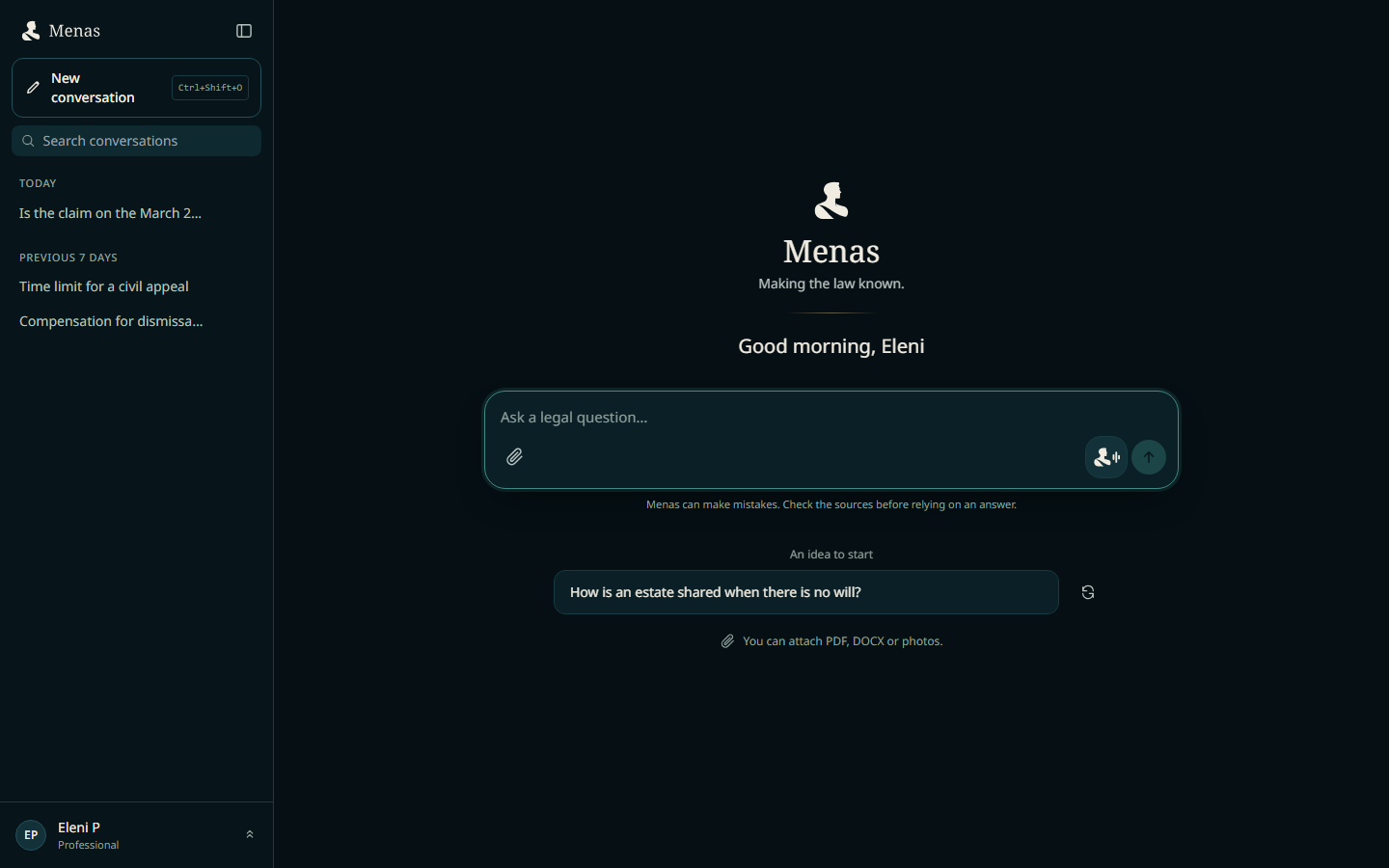
Open a new conversation, tap the Menas symbol and tell him what is going on, the way you would tell a colleague. Menas asks what he needs to understand the case, prepares the research question and shows it to you on screen. You approve it. And when the answer is ready, you talk it through with him in the same way.
How to start
- Open a new conversation, on the web, on iPhone or on Android.
- Tap the Menas symbol with the sound wave, next to the send button.
- The first time, you see a short note: what Menas listens to, what is written into the conversation, and that nothing paid starts by voice. Tap “I understand, start”; only then is the conversation created.
- Talk, in Greek, English or Russian.
If something prevents a start, for example this month’s time has run out, you see it straight away, before anything is created.
Menas asks, you answer
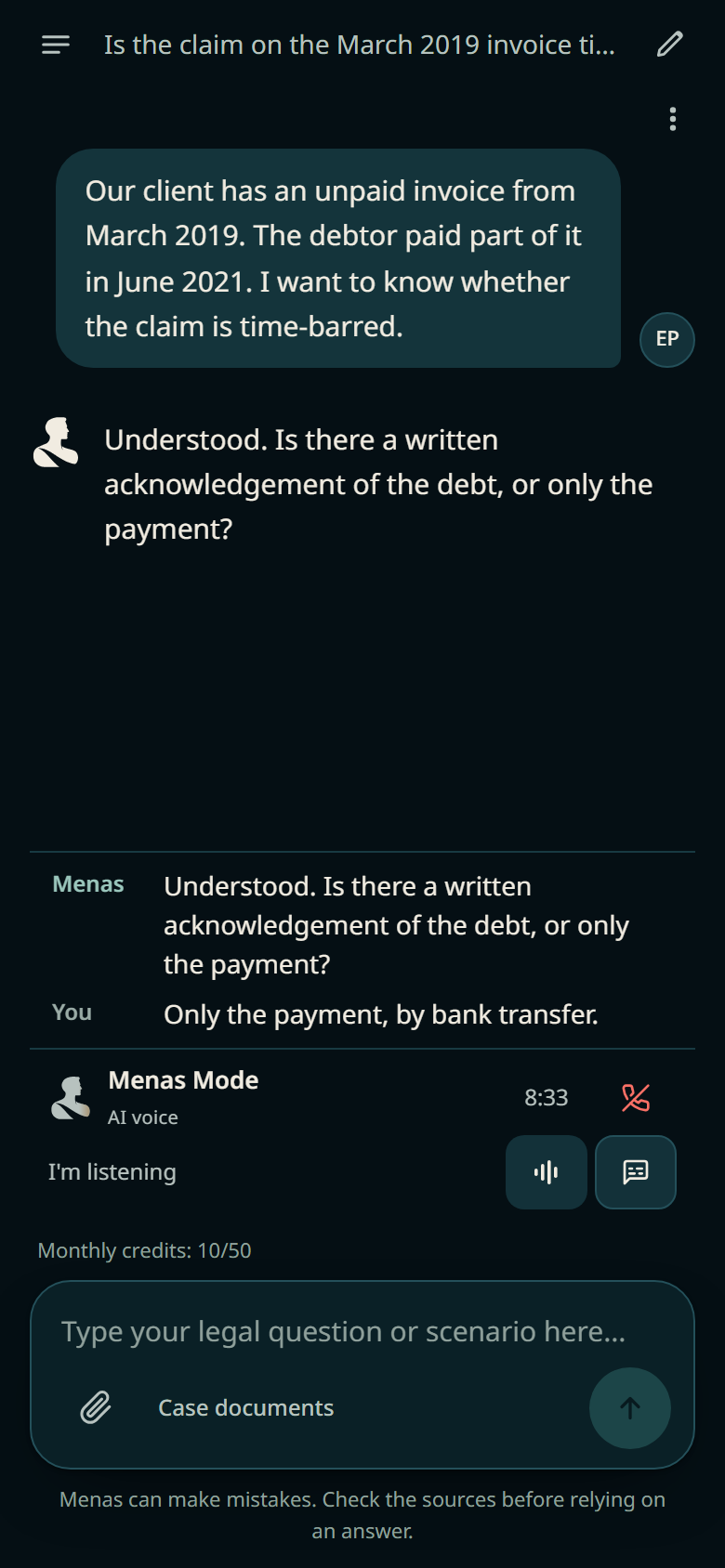
Tell him in your own words what happened. Menas asks questions to understand: when something happened, what was signed, what has been done so far. What you say is written as messages in the conversation, together with his replies, and live captions run on screen.
- You can interrupt him or mute the microphone at any time.
- If it suits you better, type instead of talking, and attach the case documents.
- At this stage Menas gathers the facts of the case. He does not give legal advice.
You approve the research, on screen
When he has what he needs, Menas prepares the proposal: the question as he understood it, and the price. If you like, choose Menas Boost for research and Deep Dive together. He does not read everything back to you; he tells you the proposal is on screen, where you see it in full.
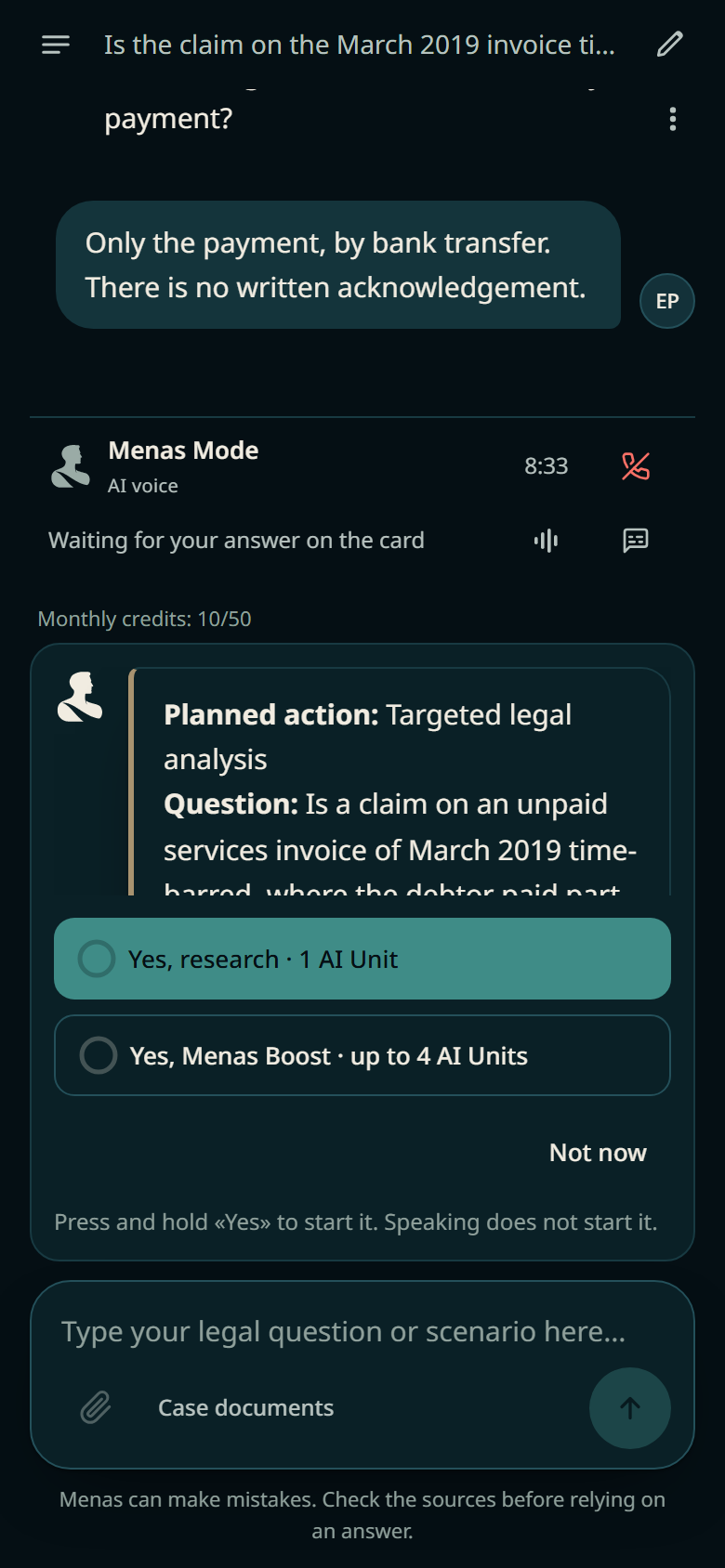
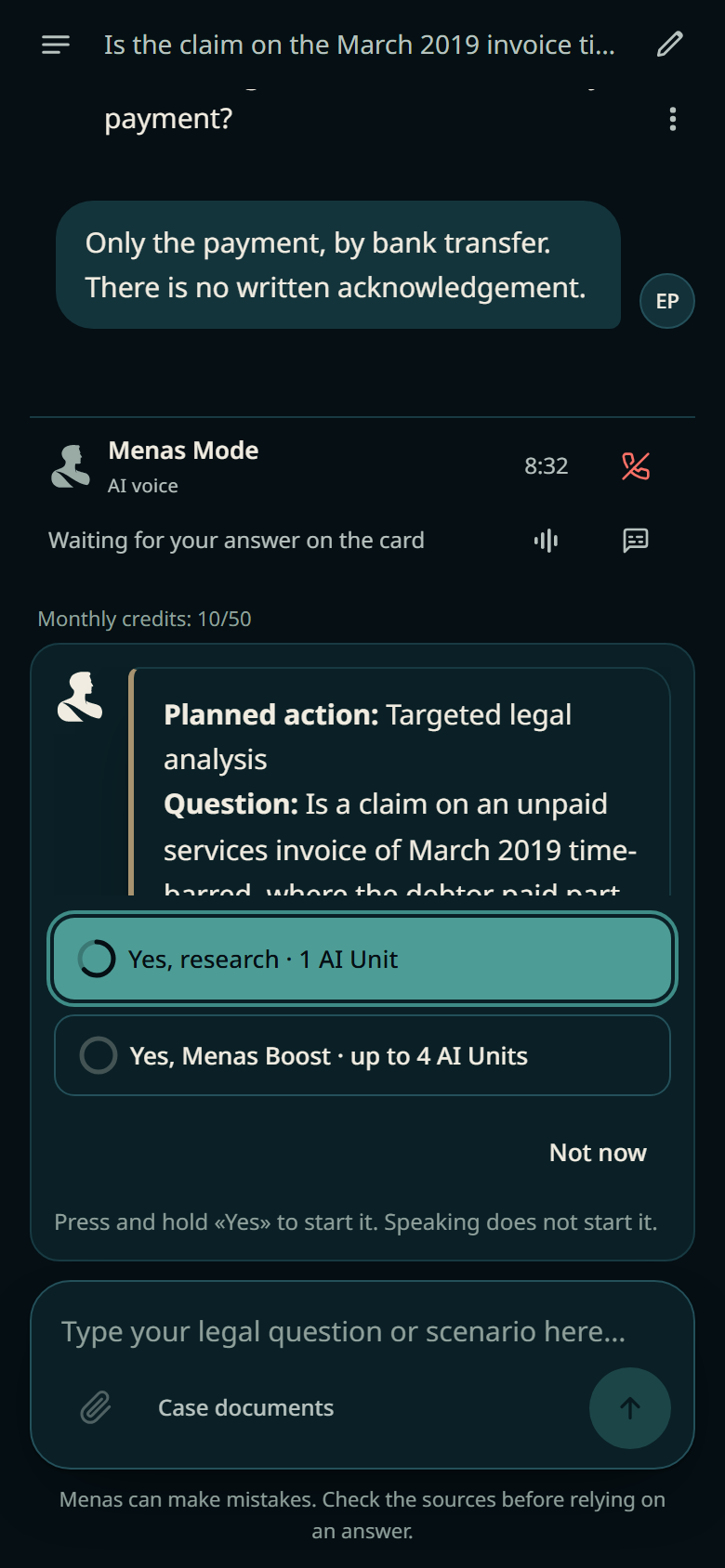
Nothing paid starts by voice. To start the research, press and hold “Yes” on the card for a second and a half. If you say “no”, the proposal is cancelled and nothing is charged. If you work with a keyboard or a screen reader, there is an approval without holding, with a confirmation step.
As soon as the research starts, the session closes by itself, so you do not use up time while you wait.
When the answer arrives, talk it through
When the research has finished, tap the same symbol again. Menas opens with a short overview: what you asked, what was found, how many sources there are and what was left open. Ask “Which judgment says it most clearly?” and the source appears on screen, ready to open.
- He answers from your research. Menas checks the sources, case numbers, laws, dates and amounts he mentions against the research. If he cannot confirm something, he tells you.
- He does not start new research on his own. If you ask something the research does not cover, he says so and leaves a suggestion for new research. You decide.
- Deep Dive by voice. Ask for it out loud. Menas tells you the price, and you approve it the same way, by pressing and holding “Yes”.
- After the Deep Dive, too. You can talk the Deep Dive through in Menas Mode as well. For a new question, start a new conversation.
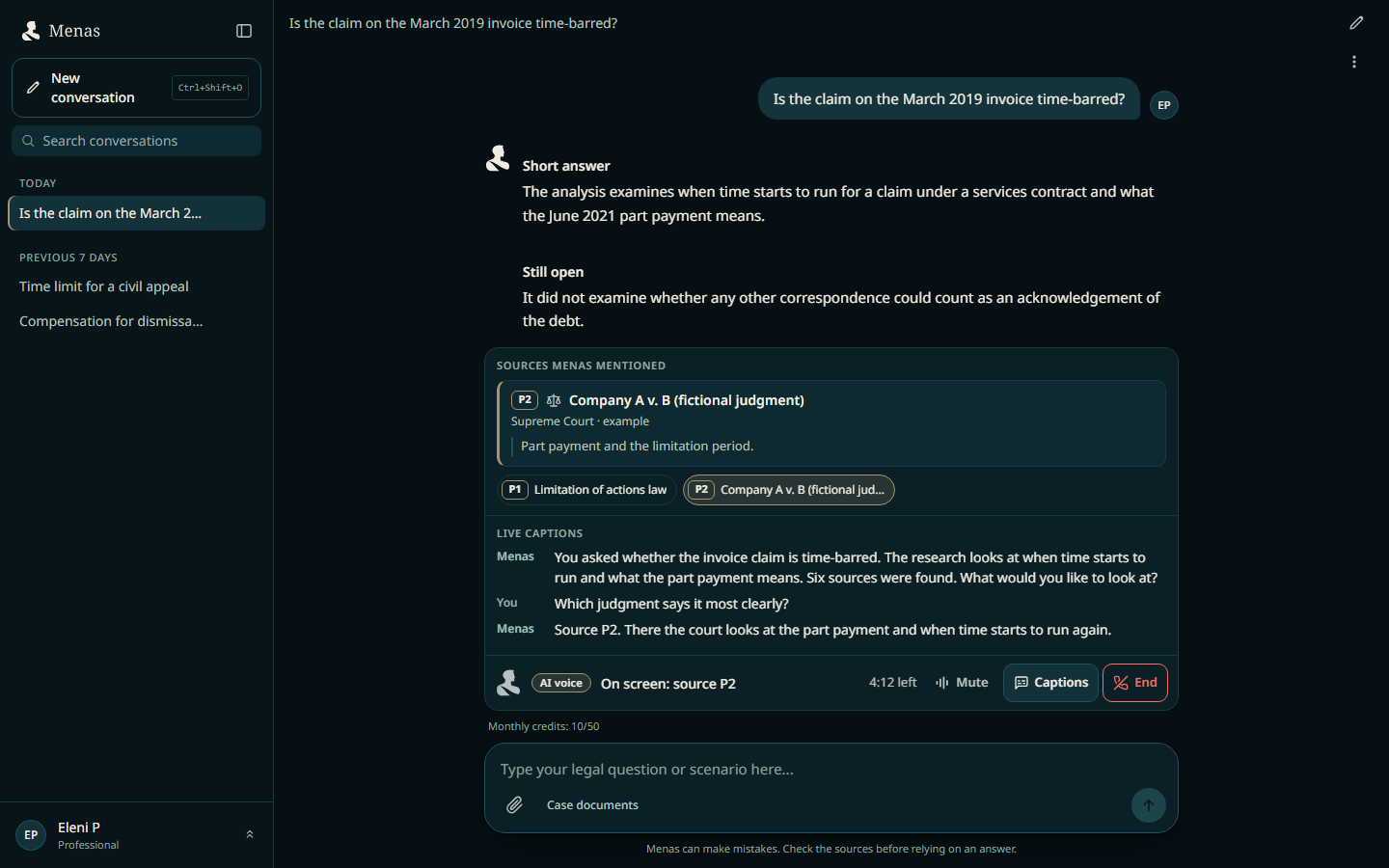
The same on web, iOS and Android
Menas Mode works the same way on the web and in the iPhone and Android apps: the same symbol, the same approval, the same conversation. Your conversations are there wherever you sign in. Download the app.
Who has it
Menas Mode is available from the Professional plan upwards. Your plan includes 15 minutes (Professional) or 60 minutes (Enterprise) a month. When they run out you can carry on: each five-minute block you start costs 2 AI units, paid before it begins. Nothing is charged unless you agree first.
The voice is AI, not a person. For a legal conclusion, rely on the written answer and its sources.
More reliable research, from start to finish
While we were building Menas Mode, we also worked on the things you do not see but that count in every answer.
- The right provision reaches the answer. When Menas finds the law that decides your question, he reads the relevant sections of that law in full, not a fragment, and the provision that matters makes it into the written answer. Deep Dive does the same. If a law you named could not be read, he tells you.
- Law and article, by number. Ask for an article of a law or a Regulatory Administrative Act (ΚΔΠ) by its number, and Menas brings back that provision more reliably.
- A list of judgments, free of charge. Write “find me judgments on…” and you get relevant judgments from our own case-law database. Only one court or one period? Say so, for example “Court of Appeal only” or “since 2020”. Otherwise no limit is applied, and a year or a court mentioned in your story does not cut results by accident.
- From the list, one step further. Say “the second one” and the second judgment on the list opens. Ask for a full analysis and Menas proposes research on your own matter.
- You are charged only for what you approved. A paid research run starts only on the question you saw and approved. If the proposal changed in the meantime, Menas asks again, and nothing is charged without your approval.
- EU law: when the facts happened matters. Menas looks at which rule applied at the time. A 2005 contract is not decided under the Rome I Regulation, which applies to contracts from 17 December 2009. For service of documents abroad, he brings in today’s Regulation 2020/1784, not the repealed one. When a British national dies owning property in Cyprus, he looks at the Succession Regulation 650/2012. And he understands dates however you write them, in Greek or even in Greeklish.
- Deadlines from the text itself. When you ask about deadlines under the Civil Procedure Rules, the answer relies only on the official text of the Rules.
- More files at once. Upload up to 8 files in one go, and the summary of a long document covers the whole document.
We do not promise perfect or exhaustive research; our aim is more careful answers. For how research works, read how Menas researches.
Open Menas, start a new conversation and tap the Menas symbol. On your phone, download the app. Menas supports legal work. You assess the sources and make the final professional judgment.